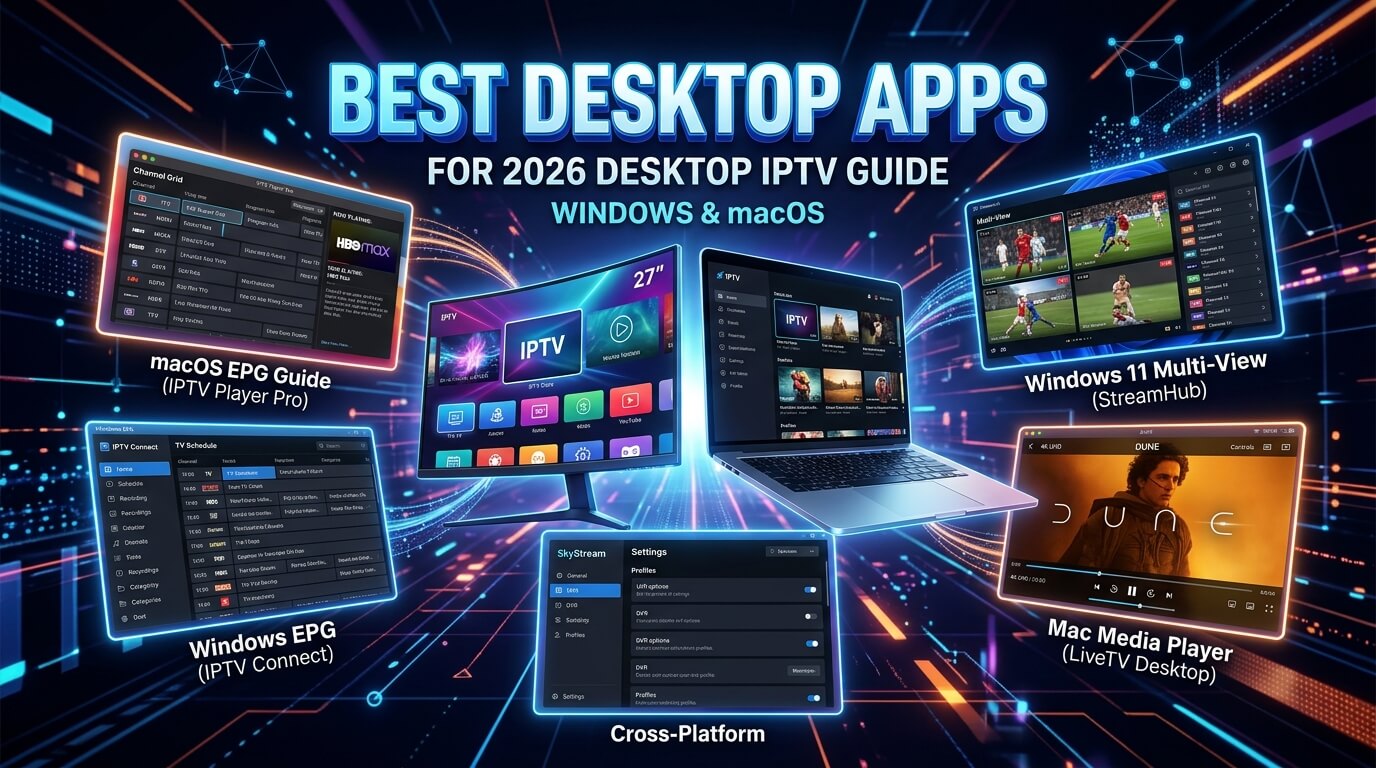
Run IPTV on any Windows 10/11 PC, Intel Mac or Apple Silicon MacBook in
under 5 minutes. This guide covers the five desktop apps we support: from the free
go-to (IPTV Smarters Pro Desktop) to the longest free trial on the market
(Hot Player, 30 days), plus IBO Player Pro, VLC
and Kodi for power users. All work with our
$19.99 CAD plan.
Every modern Windows PC, MacBook and iMac in Canada can run IPTV natively,
with no extra hardware and no browser plug-ins. This guide walks through the five desktop apps we
actively support, ranked by how quickly you can go from "opened a fresh laptop" to watching
Canadian channels, sports and films on your first iptv trial. Every app in this
list works with the same Xtream Codes credentials (or M3U playlist) that ship with your
iptv subscription. One login covers your laptop, TV, phone and Fire Stick.
Short on time? The three options that cover 95% of desktop setups:
Hot Player / Hot IPTV: 30-day free trial, best if you're only running a monthly iptv free trial
IBO Player Pro: approximately €8 lifetime, 7-day free trial, Windows-only but the most polished paid app
About the paid apps
Hot Player and IBO Player Pro each come with a free trial. Install one, load your playlist and test it properly.
When the trial ends, you activate (pay for) the app on its own official site below. Tap any app card for its exact steps.
IPTV Smarters Pro is the fastest way to run your Best IPTV Box iptv trial on a Windows PC, MacBook or iMac. The desktop build logs in with the exact same Xtream Codes credentials as the Fire Stick and mobile versions, so a single iptv subscription covers your laptop and your TV with no extra config. Runs natively on Apple Silicon (M1 / M2 / M3) with no Rosetta needed.
Log in via
Xtream Codes API (username + password + server URL)
Supported systems
Windows 10 · Windows 11 · macOS 11+ (Intel & Apple Silicon)
Step-by-step
1
Download the desktop installer
From your browser go to iptvsmarters.com/downloads and grab the Windows .exe or macOS .dmg for your system. Both are free.
2
Install and open
On Windows double-click the .exe and follow the wizard. On macOS drag the app icon into Applications, then right-click → Open the first time so Gatekeeper allows it.
3
Choose Login with Xtream Codes API
Add New User → Login with Xtream Codes API. It's the fastest, most reliable login method for any iptv service.
4
Paste the details we sent you
Give it a nickname (e.g. "Laptop"), then paste the username, password and server URL from your welcome message. Save.
5
Start streaming
The app loads your full channel list, EPG, VOD and series. Full-screen with F11 (Windows) or ⌃⌘F (macOS).
Tip
On Apple Silicon Macs, the native ARM build is roughly 30% smoother than the Intel version on 4K channels. Make sure you download the "Apple Silicon" .dmg, not the Intel one.
Hot Player has the longest free trial of any Windows or Mac IPTV app (a full 30 days), which makes it the perfect partner for a monthly iptv free trial. It's the same Hot Player you'd install on a Fire Stick or Smart TV, and your playlist stays synchronised across every device once you upload it. €14.99 lifetime is one of the best-value one-off IPTV player prices on the market.
Log in via
M3U playlist URL (uploaded at hotplayer.app/upload)
Supported systems
Windows 10 · Windows 11 · macOS 11+ · iOS · Android · Smart TV · Fire TV
Step-by-step
1
Download Hot Player for desktop
From hotplayer.app go to Downloads and pick the Windows installer or macOS .dmg. Install as normal.
2
Open the app and read your device ID
On first launch Hot Player shows a device ID / MAC. Take a screenshot.
3
Send us the device ID on WhatsApp
Message us the ID along with your order name. We generate a personal M3U playlist URL for your iptv subscription.
4
Upload the playlist on hotplayer.app/upload
Open hotplayer.app/upload in your browser, enter the device ID and paste the M3U URL we sent you. Save.
5
Restart Hot Player
Close and reopen the desktop app. Your channels load. 30 days free, then €5.99/yr or €14.99 lifetime on hotplayer.app/activation.
Tip
Hot Player syncs one playlist across every device on the same account. Set it up once on desktop and it will show up automatically on your Fire Stick and phone.
IBO Player Pro brings its Netflix-style interface to Windows: a proper 10-foot lean-back UI you can drive with a keyboard or a Bluetooth remote when you connect the PC to a TV. 7-day free trial baked in and a one-off ~€8 unlocks it for life on that specific machine. Currently Windows-only on desktop (macOS build is on their roadmap).
Log in via
Device Key + MAC (activated on iboproapp.com)
Supported systems
Windows 10 · Windows 11 · Fire TV · Smart TV · Apple TV · iOS · Android
Step-by-step
1
Download the Windows installer
Visit iboproapp.com/downloads and get the Windows .exe. Install as normal.
2
Open the app and read your Device Key + MAC
On first launch you'll see a Device Key AND a MAC address. Copy both, as you need them.
3
Send us both codes on WhatsApp
We attach your playlist within about 10 minutes and confirm when it's live.
4
Reload and enjoy the 7-day trial
Restart IBO Player. Channels, VOD and series appear. Enjoy 7 days free.
5
Activate for life on iboproapp.com
When the trial ends, visit iboproapp.com, enter the same Device Key + MAC and pay the one-off lifetime fee.
Tip
IBO Player Pro doesn't ship a native macOS build yet. Mac users should install IPTV Smarters Pro (native Apple Silicon) or VLC instead. The same iptv subscription credentials work on both.
VLC is the free, universally-installed media player that quietly happens to be a great IPTV client on Windows and Mac. Paste the M3U URL we send you and VLC opens the whole channel list as a playlist. No EPG, no VOD polish. Just a rock-solid free option for anyone who doesn't want to install another app to test their iptv trial on a laptop.
Log in via
M3U playlist URL
Supported systems
Windows 10 · Windows 11 · macOS 10.11+ · Linux
Step-by-step
1
Install VLC (if you don't have it)
Get it free from videolan.org/vlc. Available for Windows and macOS, with an Apple Silicon build included.
2
Grab your M3U URL from WhatsApp
We send you a personal M3U playlist URL as part of every iptv subscription. Copy it.
3
Open the URL in VLC
Windows: Media → Open Network Stream → paste the URL → Play. macOS: File → Open Network → paste the URL → Open.
4
Save it as a playlist
While the channel list is loaded, Media / File → Save Playlist to File → save an .m3u somewhere memorable so you can reopen it in one click.
Tip
VLC has no EPG. For a proper TV Guide use IPTV Smarters Pro or Hot Player instead. Keep VLC as your emergency backup player.
Kodi is the power-user's Windows / Mac IPTV app. Free, open source, brilliant EPG once configured, and it lets you record live TV to your hard drive. The one-off setup is longer than IPTV Smarters Pro: you enable the PVR IPTV Simple Client add-on and point it at your M3U URL. For anyone building a proper home-cinema PC it's the best free iptv service front-end on desktop.
Log in via
M3U playlist URL (loaded into PVR IPTV Simple Client)
Supported systems
Windows 10 · Windows 11 · macOS 11+ · Linux · Fire TV · Android
Step-by-step
1
Install Kodi
Free from kodi.tv. Pick the Windows .exe or macOS .dmg. Open it once you've installed.
Which Windows / Mac IPTV app should I actually use?
If you want the shortest possible answer: install IPTV Smarters Pro (Desktop)
first because it's free and the Xtream Codes login is the exact same one that works on your
Fire Stick and phone. If the interface feels basic, install Hot Player next
with the 30-day trial covering your whole first month and, if you like it, €14.99 lifetime is
exceptional value. Kodi is for tinkerers who want to record; VLC is the "no new app" fallback.
Windows 10 & Windows 11 users
Every app in this guide runs natively on Windows 10 and 11. Our recommended pairing is
IPTV Smarters Pro + IBO Player Pro: one free with a lightning-fast Xtream
Codes login, one paid with a proper Netflix-style UI you can drive from the sofa. Both
accept the same iptv subscriptions credentials from us.
Intel Mac users
Intel MacBooks and iMacs handle IPTV Smarters Pro, VLC and Kodi flawlessly. Hot Player runs
via Rosetta 2 and is smooth at 1080p. IBO Player Pro doesn't ship a macOS build yet, so Mac
users should stick to Smarters as the primary player and VLC as backup.
Apple Silicon (M1 / M2 / M3 / M4) Mac users
Native ARM builds of IPTV Smarters Pro, VLC and Kodi make Apple Silicon
Macs the smoothest IPTV laptop money can buy: 4K HEVC playback with the fan barely
spinning up. Just make sure you download the "Apple Silicon" build of each app, not the
Intel one.
Try our IPTV free trial on any of these apps
Every app on this page works with our $19.99 CAD plan,
with the same Xtream Codes credentials or M3U playlist and the same 24/7 support on WhatsApp. If you install
one of the paid apps, your free trial from the app developer runs in parallel with
our iptv subscription, so you can properly try the player before spending
a penny more. One set of credentials works on your Windows PC, MacBook, Fire Stick, Smart TV
or phone. A plan is restricted to one device. If you want every screen in the house covered,
message us and we will set you up on the multi-device plan.
Frequently asked questions
Which desktop IPTV solutions should I actually install?
Two camps, and they do different jobs. A dedicated player such as IPTV Smarters is the best IPTV app choice for day-to-day watching, because it gives you a proper channel guide and remembers your position. VLC will play any stream you point it at but has no EPG, which makes it a diagnostic tool rather than a daily driver. That distinction is genuinely useful: if a channel plays in VLC but not in your main player, the problem is the app, not the service.
How do I check whether a stream is really 4K?
A laptop is the easiest place to do it. Open the codec or stream information panel in your player: genuine IPTV 4K reports 3840x2160, and anything materially below that has been upscaled from 1080p and relabelled. Worth checking once, because 4K live IPTV is considerably rarer than sales pages imply, while on-demand libraries carry much more of it. If a provider claims every channel is 4K, that panel will tell you otherwise in about ten seconds.
Why does 4K stutter on my older laptop when the connection is fine?
Almost always software decoding. Check that hardware decoding is enabled in your player settings. Software-decoding a 4K stream pins the CPU, spins the fans and drops frames on fast motion no matter how good your internet is. If the same channel plays perfectly in FHD, that is the confirmation. An older MacBook or a low-power Windows laptop may simply not have a decoder for the codec in use, in which case FHD is the honest ceiling for that machine.
Which is the best IPTV app for Windows and Mac in 2026?
For 95% of laptop users on their first iptv trial, IPTV Smarters Pro (Desktop) is the best pick: free, native Apple Silicon build for Mac, one-step Xtream Codes login. If you want a longer free trial before paying anything, Hot Player gives you 30 days. If you don't want to install a new app at all, VLC plays your M3U playlist with zero setup.
Does IPTV work on Apple Silicon (M1, M2, M3, M4) Macs?
Yes. IPTV Smarters Pro, VLC and Kodi all ship native Apple Silicon builds and run smoothly on any M1 / M2 / M3 / M4 MacBook, MacBook Pro, MacBook Air, iMac or Mac mini. Hot Player runs via Rosetta 2 on Intel and Apple Silicon, smooth at 1080p with occasional frame drops at 4K on the base M1. IBO Player Pro is currently Windows-only on desktop.
Do I need a paid app to watch IPTV on my laptop?
No. IPTV Smarters Pro (Desktop), VLC and Kodi are all completely free. Hot Player and IBO Player Pro come with free trials (30 days and 7 days respectively). Install one, load your playlist and test it. When the trial ends you activate the app on its own site: hotplayer.app/activation or iboproapp.com. Payment for those apps is completely separate from your iptv subscription with us.
Can I use the same iptv subscription on my laptop and my TV?
The same Xtream Codes credentials (or M3U URL) work in any of those apps (Windows laptop, MacBook, Fire Stick, Smart TV, iPhone, Android tablet) so you can move the line between them. A standard plan is still restricted to one device, so it is one at a time rather than all of them. If you have multiple devices you want running, we do offer a multi-device plan: message us on WhatsApp and we will add it. See our other installation guides for TV and mobile setups.
How do I install IPTV on a work laptop with restricted admin rights?
The easiest option is VLC. Many corporate machines already have it installed, and even if they don't, VLC installs without admin rights on most Windows setups. Just paste your M3U URL via Media → Open Network Stream. Kodi's portable build also runs without admin on Windows. IPTV Smarters Pro and Hot Player both need admin rights on Windows.
Do these desktop apps support 4K IPTV?
Yes. IPTV Smarters Pro, Hot Player, IBO Player Pro, VLC and Kodi all support 4K HEVC / H.265 playback on any modern Windows PC or Mac with a decent internet connection (25 Mbps+). For the smoothest 4K experience use a wired Ethernet connection rather than Wi-Fi. The difference on channels above 15 Mbps is significant.
Is IPTV safe to install on my Windows PC or Mac?
The apps in this guide are all legitimate players downloaded from their own official sites (iptvsmarters.com, hotplayer.app, iboproapp.com, videolan.org, kodi.tv). None of them contain malware. What you stream through them depends on your iptv subscription. Every Best IPTV Box iptv trial ships from licensed servers with a support team on WhatsApp answering 24/7.
🇨🇦 $19.99 CAD · paid once
Get the Best IPTV Box in Canada Today
The best IPTV Canada plan we can build: 50,000+ channels, real 4K, top-flight sport and the full French-language lineup, live on your device in minutes. One payment, no contract, no auto-renewal, no hidden fees.