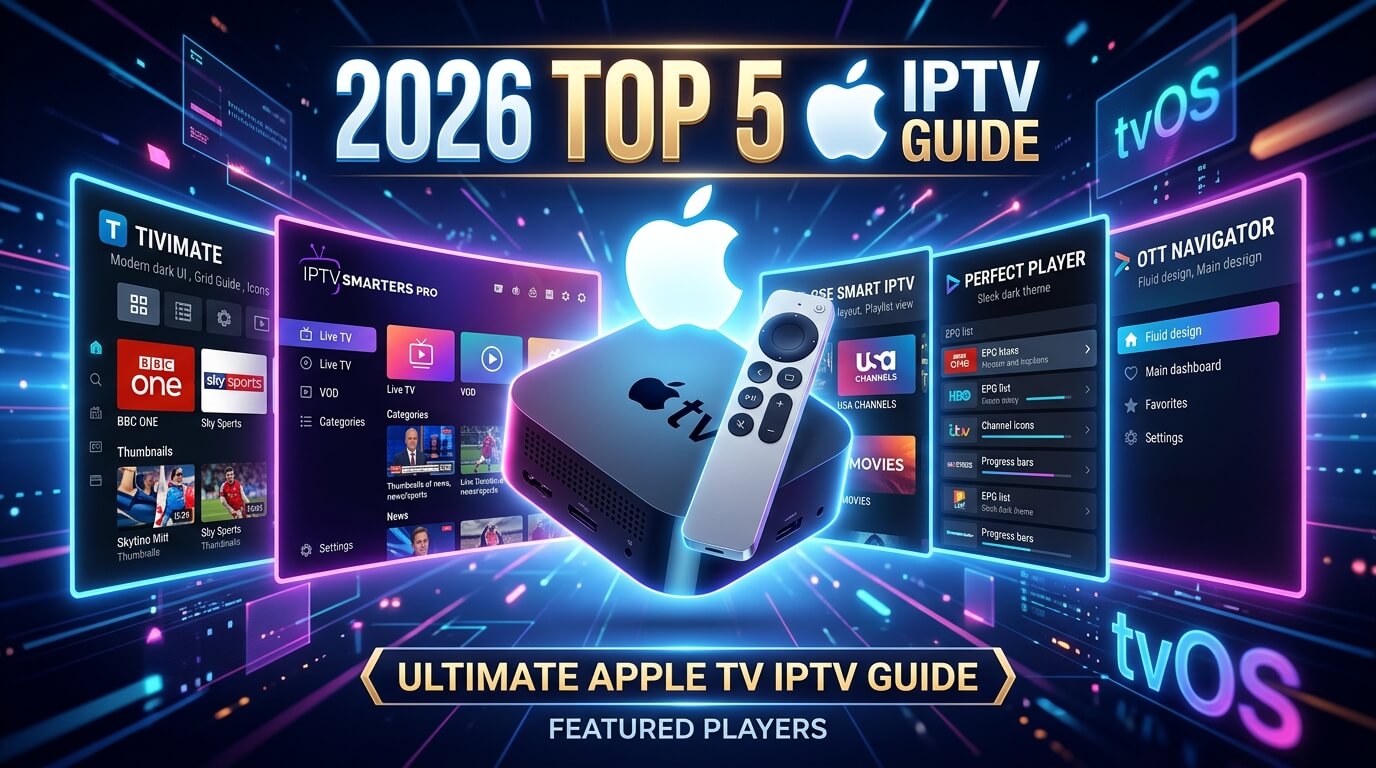
Apple TV IPTV: 5 best tvOS apps for Apple TV HD & 4K (2026)
Apple TV is the fastest way to run IPTV in Canada: no sideloading, no
Developer Options, no Downloader. Every app in this guide installs with a single click
from the official tvOS App Store, and every one of them logs in with the exact same
Xtream Codes credentials that come with your
$19.99 CAD plan.
Works on Apple TV HD (4th gen, 2015) and every Apple TV 4K generation.
Every Apple TV sold since 2015 can run IPTV in under
3 minutes. The biggest advantage over Fire Stick is that Apple TV skips the sideload
step entirely, because every app in this guide is on the official tvOS App Store. This
guide covers the five apps we actively support, ranked by how quickly you can go from
"just unboxed the Apple TV" to watching Canadian channels, sports, films and series on your
first iptv trial. Every app works with the same Xtream Codes credentials
or M3U playlist that comes with your iptv subscription, no re-buying
whichever app you settle on.
Short on time? The three options that cover 95% of Apple TV setups:
Smarters Player Lite: 100% free, Xtream Codes login, the classic Apple TV IPTV app
iPlayTV: $9.99 CAD one-off, Netflix-style interface and AirPlay 2
IPTVX: approximately $7.99 CAD one-off, the most Apple-like interface on tvOS
About the paid apps
IPTV Smarters Player Expert, iPlayTV, GSE Smart IPTV Pro and IPTVX are all
one-off App Store purchases. You
pay Apple once and the app is yours forever on your Apple ID. No monthly fees, no
in-app subscriptions. Tap any app card for exact steps.
Smarters Player Lite is the free go-to IPTV player on Apple TV and the app we recommend every new Best IPTV Box customer install first. It's a native tvOS build that installs directly from the App Store with no sideloading required (Apple TV doesn't allow it anyway) and it logs in with the exact same Xtream Codes username, password and server URL we send in your welcome message. Perfect first stop for your iptv trial.
Log in via
Xtream Codes API (username + password + server URL) or M3U URL
Supported devices
Apple TV HD (4th gen) · Apple TV 4K (all generations) · iPhone · iPad
Step-by-step
1
Open the tvOS App Store
From the Apple TV home screen open the App Store, hit the search icon (top right) and type "Smarters Player Lite". Select the orange Smarters icon by WHMCS Smarters.
2
Install with your Apple ID
Click Get. If prompted, confirm with your Apple ID password or double-click the Siri Remote side button for Face ID / Touch ID on iPhone. The app is 100% free with no in-app purchases required.
3
Add a new user
Open Smarters Player Lite → Accept the terms → "Add New User" → "Login with Xtream Codes API". This is the fastest method and the one your iptv subscription with us uses.
4
Enter your details
Any name you like (e.g. "Living Room"), then paste the username, password and server URL from your WhatsApp welcome message. Press Add. Your channels, VOD and series load in seconds.
5
Start streaming in 4K HDR
You'll land on a home screen with Live TV, Movies, Series and TV Guide tiles. Swipe the Siri Remote touchpad to jump between Canadian, USA, sports and film categories. 4K HDR playback is on by default on any Apple TV 4K.
Tip
If Smarters Player Lite ever disappears from your regional App Store, install "IPTV Smarters Player Expert" instead. Same developer, same Xtream Codes login, same iptv service credentials work with zero changes.
IPTV Smarters Player Expert is the paid tvOS sibling of Smarters Player Lite: same login, same interface, but with multi-user support, faster channel switching and priority updates. A tiny one-off $1.99 pays for it forever on your Apple ID (works on every Apple TV signed into that ID). A worthwhile upgrade if you use your iptv subscription every night.
Log in via
Xtream Codes API or M3U URL
Supported devices
Apple TV HD (4th gen) · Apple TV 4K (all generations) · iPhone · iPad
Step-by-step
1
Search the App Store
Apple TV → App Store → search "IPTV Smarters Player Expert". Select the icon by WHMCS Smarters.
2
Buy for $1.99
Click the price, confirm with Apple ID. The purchase is tied to your Apple ID, not the specific Apple TV, so install it on every Apple TV you own at no extra cost.
3
Add a new user
Open the app → Add New User → Login with Xtream Codes API. Enter the username, password and server URL we sent you.
4
Enable multi-user (optional)
Settings → Users → Add another profile if a family member has a separate iptv free trial. Each profile has its own favourites, EPG and parental settings.
5
Start streaming
The channel grid loads immediately. Long-press the Siri Remote to open the on-screen EPG, and use "Match Content" (Apple TV → Settings → Video and Audio) for automatic HDR / 50Hz switching on sport.
Tip
Same Xtream Codes credentials as Smarters Player Lite. You can migrate from Lite to Expert without contacting us and everything just works.
iPlayTV is the most polished paid IPTV app on tvOS: Netflix-style poster art, native EPG, AirPlay 2, background audio and buttery Siri Remote navigation. A one-off $9.99 CAD unlocks it for life on your Apple ID. If you want an Apple-quality interface for your iptv service, this is the app to pick.
Log in via
M3U URL or Xtream Codes API
Supported devices
Apple TV HD (4th gen) · Apple TV 4K (all generations) · iPhone · iPad
Step-by-step
1
Buy iPlayTV on the App Store
Apple TV → App Store → search "iPlayTV" (by NetRange MMH GmbH). Pay the one-off $9.99 CAD with your Apple ID.
2
Open and choose Add Playlist
Launch iPlayTV → hit the "+" tile → choose "Remote Playlist File" (for M3U) or "Xtream Codes" if you prefer username/password login.
3
Enter your playlist details
Name it (e.g. "IPTV Canada"), then either paste the M3U URL we sent you, or enter the Xtream Codes host, username and password. Save.
4
Wait for the EPG
iPlayTV downloads the electronic programme guide in the background, usually 30 to 60 seconds for a full Canadian line-up. The channel grid populates as it goes.
5
Enable 4K HDR + AirPlay
Settings → Video → set stream quality to Auto (or 4K on Apple TV 4K). Enable AirPlay from the "..." menu on any channel to beam to a second Apple TV or HomePod.
Tip
iPlayTV is one of the very few tvOS apps to support catch-up TV (timeshift). If your iptv subscription includes catch-up, iPlayTV surfaces it automatically as "Rewind" on each channel.
GSE Smart IPTV is the most feature-complete IPTV player on Apple TV: multi-EPG, custom stream headers, multiple video decoders (native / VLC / IJKPlayer), picture-in-picture, external player support and per-playlist parental locks. Free tier has ads; the one-off Pro upgrade (~$7.99 CAD) removes them. The right pick if you also run non-Canadian iptv subscriptions alongside your Best IPTV Box one.
Log in via
M3U URL · Xtream Codes API · XMLTV EPG
Supported devices
Apple TV HD (4th gen) · Apple TV 4K (all generations) · iPhone · iPad · Mac
Step-by-step
1
Install GSE Smart IPTV
Apple TV → App Store → search "GSE Smart IPTV" (by 7net Solutions). Install the free version to start and upgrade to Pro from inside the app later.
2
Open Playlist Manager
Launch the app → open the side menu → "Xtream Codes API" (or "Remote Playlists" for M3U). Choose "Add".
3
Enter your credentials
Name it (e.g. "IPTV Canada"), then paste the host URL, username and password we sent you. Save.
4
Pick a video decoder
Settings → Player → Video Player. Native works best on Apple TV 4K for HEVC; switch to VLC if any specific channel refuses to play (a codec fallback trick specific to tvOS).
5
Upgrade to Pro (optional)
Settings → Upgrade to Pro. One-off ~$7.99 CAD removes ads and unlocks unlimited playlists, useful if you juggle multiple iptv subscriptions.
Tip
If a stream stutters on Apple TV 4K, open the channel and change Decoder from "Native" to "IJKPlayer". This solves 90% of HEVC / 10-bit playback quirks.
IPTVX feels like an app Apple would have built themselves: the cleanest interface, the fastest zapping and the most tasteful use of poster art on tvOS. A one-off approximately $7.99 CAD (occasionally free during promotions) unlocks it for life. The connoisseur's choice for a premium iptv service.
Log in via
M3U URL or Xtream Codes API
Supported devices
Apple TV HD (4th gen) · Apple TV 4K (all generations) · iPhone · iPad
Step-by-step
1
Install IPTVX on Apple TV
App Store → search "IPTVX". Buy the one-off unlock (or grab it free during a promo). Install and launch.
2
Add a playlist
On first launch tap "Add Playlist" → choose Xtream Codes (recommended) or M3U URL. Give it a nickname.
3
Paste your login
For Xtream Codes: enter the server URL, username and password from your welcome message. For M3U: paste the full M3U link. Save.
4
Configure the EPG
IPTVX auto-detects the XMLTV EPG bundled with your iptv subscription. If it doesn't appear, Settings → EPG → paste the XMLTV URL we'll send you on request.
5
Fine-tune for 4K
Settings → Player → set "Preferred Video Codec" to HEVC and "Buffer" to 5s for the smoothest 4K sport playback on Apple TV 4K.
Tip
IPTVX is one of the few Apple TV IPTV apps with a proper "Recent Channels" row on the home screen, which makes flipping between a national news channel and the game a single click.
If you want the shortest possible answer: install Smarters Player Lite
first because it's free and it's what every Canadian IPTV provider tests against. If the
interface feels basic, buy iPlayTV next. The $9.99 CAD one-off gets you a
Netflix-style poster grid, AirPlay 2 and catch-up TV support. If you're a design
purist, IPTVX is the most Apple-like player on tvOS. Power users who
run multiple iptv subscriptions or need custom stream headers should install
GSE Smart IPTV.
Apple TV HD (4th gen) owners
Stick to the lightweight apps: Smarters Player Lite and
IPTV Smarters Player Expert run smoothest on the older A8 chip. Skip
any 4K streams in your iptv subscription. The Apple TV HD tops out at 1080p and can
stutter on very high-bitrate 4K feeds. All five apps still install and work perfectly
for standard HD content.
Apple TV 4K (1st to 3rd gen) owners
Any Apple TV 4K is our top recommendation for a serious iptv service:
enough memory to keep two IPTV apps installed side-by-side (Smarters Player Lite +
iPlayTV is our favourite pairing) and enough grunt for 4K HEVC HDR without frame drops.
The 3rd-gen Apple TV 4K (2022, A15 Bionic) is genuinely the fastest IPTV box you can
buy. Every app in this guide runs at full 4K HDR and Dolby Vision on it.
Match Content, Dolby Vision & AirPlay 2
Turn on "Match Content" in Apple TV → Settings → Video and Audio → Match Content →
enable both "Match Dynamic Range" and "Match Frame Rate". This makes the Apple TV
switch automatically between SDR, HDR, Dolby Vision and 50Hz depending on the channel
The difference on live sport at 60fps is night and day. Enable AirPlay 2 in iPlayTV,
IPTVX or GSE to beam channels to a HomePod or a second Apple TV in another room.
Try our IPTV free trial on any of these apps
Every app on this page works with our $19.99 CAD plan,
same Xtream Codes credentials or M3U playlist, same 24/7 support on WhatsApp. One set of
iptv subscriptions credentials works on Apple TV, Fire Stick, Smart
TV, phone or tablet. A plan is restricted to one device, and if you have multiple devices
message us for the multi-device plan. If you install one of the paid Apple TV apps,
your one-off App Store purchase is completely separate from your iptv subscription
with us, so you can genuinely test the app before committing.
Frequently asked questions
Which are the best IPTV apps on Apple TV, and how do they differ?
The best IPTV apps on tvOS split by what you value. Smarters Player Lite is free and the fastest way to get watching. iPlayTV is the best IPTV app if you want poster art and a Netflix-style interface, for a one-off payment. IPTVX sits between them and handles multiple playlists well. All three log in with the same Xtream Codes credentials, so trying a second one costs you nothing but the download.
Does the Siri Remote work well, and what about IPTV and Roku?
The Siri Remote is one of the better IPTV remote experiences once you learn the swipe gestures, though like the Fire Stick remote it has no number keys, so channel changes happen through the guide. On IPTV and Roku: Roku is the one major platform that does not allow sideloading, so none of these players install on it. If you own both, use the Apple TV. If Roku is your only device, a Fire TV Stick is the cheapest way around the limitation. Note too that Apple TV HD tops out at 1080p, so you need an Apple TV 4K for 4K live IPTV.
Which is the best Apple TV IPTV app in 2026?
For most Canadian viewers starting an iptv trial, Smarters Player Lite is the best Apple TV IPTV app: it's completely free on the tvOS App Store and logs in with a single Xtream Codes username and password. If you want a more polished interface with poster art and AirPlay 2, iPlayTV ($9.99 CAD one-off) is our top paid pick. Power users who juggle multiple iptv subscriptions should install GSE Smart IPTV for its multi-decoder and multi-EPG support.
Do I need to sideload apps on Apple TV?
No. Apple TV does not allow sideloading. Every app in this guide installs directly from the tvOS App Store with a single click, which is one of the biggest advantages of running IPTV on Apple TV over Fire Stick (where several apps have to be sideloaded via Downloader). Your iptv free trial credentials work the same way, Xtream Codes username, password and server URL, no matter which of the five apps you pick.
Will these apps work on Apple TV HD (4th gen)?
Yes. Every app in this guide runs on Apple TV HD (4th gen, released 2015) and every Apple TV 4K generation. The Apple TV HD tops out at 1080p, so you won't see the benefit of 4K streams. For standard Canadian channels, films and sports at 1080p the experience is identical. For 4K HDR, Dolby Vision and 50Hz sport, upgrade to any Apple TV 4K.
Can I use the same iptv subscription on Apple TV and my Fire Stick or phone?
The same Xtream Codes username, password and server URL work in any of those apps (Apple TV, Fire Stick, Smart TV, iPhone, Android tablet) so you can move the line between them. A standard plan is still restricted to one device, so it is one at a time rather than all of them. If you have multiple devices you want running, we do offer a multi-device plan: message us on WhatsApp and we will add it. See our Fire Stick and Mobile & Tablet installation guides for those devices.
Does AirPlay work with these apps?
iPlayTV, IPTVX and GSE Smart IPTV all support AirPlay 2. You can beam a live Canadian channel from your iPhone straight to the Apple TV, or from Apple TV to a HomePod for whole-room audio on the football. Smarters Player Lite and Expert have basic AirPlay support for audio only. Every Apple TV in the house sharing one iptv subscription is fully supported.
Is IPTV on Apple TV safe and legal in Canada?
Installing the apps in this guide is 100% legal. Smarters Player Lite, IPTV Smarters Player Expert, iPlayTV, GSE Smart IPTV and IPTVX are all legitimate players sold on the official Apple tvOS App Store, so they've passed Apple's app review. What you watch through them depends on your iptv subscription. Every Best IPTV Box iptv trial ships from licensed servers with a support team on WhatsApp answering 24/7.
How long does the Apple TV IPTV setup take?
Under 3 minutes end-to-end for Smarters Player Lite. That's the fastest path in this guide because Apple TV skips the sideload step entirely. Search the App Store (30s), install with Apple ID (30s), Add New User → Xtream Codes API (1 min) and paste the login we sent you. Every Best IPTV Box iptv free trial customer with an Apple TV follows this exact flow on their first day.
🇨🇦 $19.99 CAD · paid once
Get the Best IPTV Box in Canada Today
The best IPTV Canada plan we can build: 50,000+ channels, real 4K, top-flight sport and the full French-language lineup, live on your device in minutes. One payment, no contract, no auto-renewal, no hidden fees.