Internet Protocol Television, or IPTV, is television delivered as data over an
internet connection instead of a broadcast signal from an aerial, a dish or a cable.
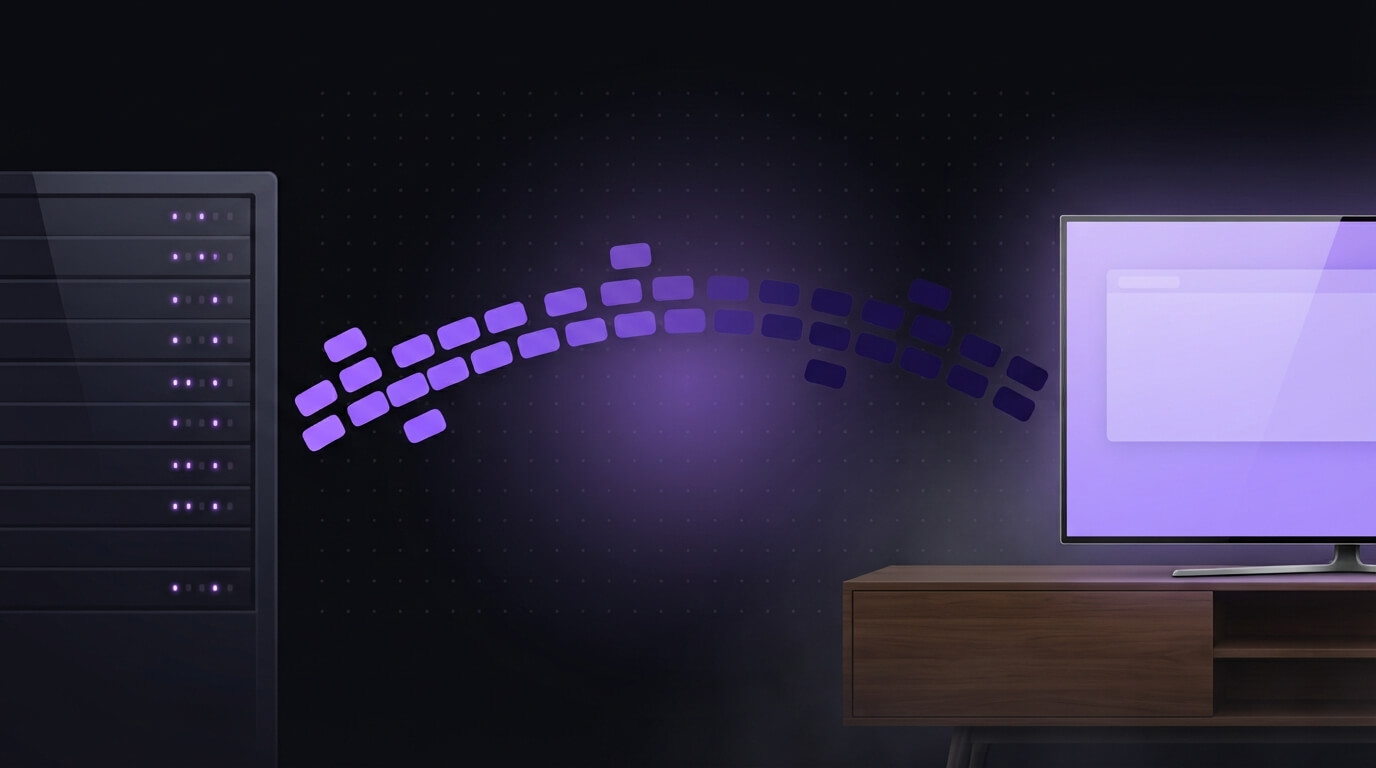
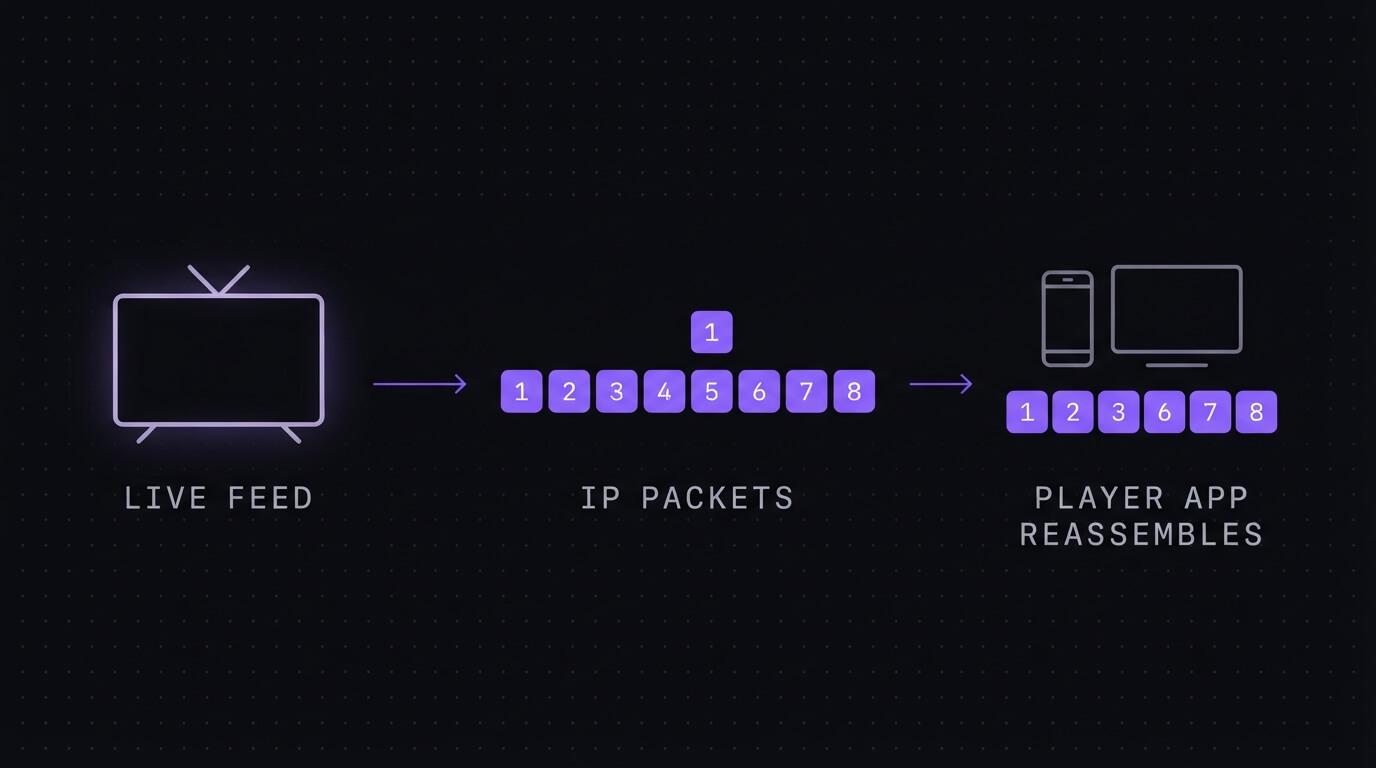
The programme is compressed, cut into numbered packets, sent down your broadband line, and
reassembled by a player app on your TV, phone or box. That is the whole idea. Everything
else is plumbing, and this guide walks through the plumbing.
Internet Protocol Television is a fourteen-syllable name for something you have been doing
for years without being told. If you have ever opened a catch-up app on the TV, you have
used IPTV. Nobody called it that, because "catch-up" sounds like something you can do on a
Tuesday and "Internet Protocol Television" sounds like something that needs a man in a van.
The acronym only started following people around when services began selling channel bundles
this way. So it now arrives attached to a sales pitch, which is a shame, because underneath
it is one of the more sensible ideas in broadcasting. Here is what is actually happening.
What the "Internet Protocol" bit actually means
Internet Protocol is the addressing system that moves data around any network. It is not
specific to television and it is not new. It is the same mechanism carrying this page to
you right now.
Its one relevant feature is packet switching. Data gets broken into small
numbered pieces, each stamped with a destination, and each free to take whatever route
across the network is available at that moment. The pieces can arrive out of order, by
different paths, at slightly different times. The receiving end puts them back in sequence
using the numbers.
Broadcast television could never do that. An aerial signal is one continuous stream going
out to everybody at once, and if you were not tuned in when it went past, it was gone.
Chopping television into addressed packets is what made pausing, rewinding and starting a
programme three days late possible. See
the technical overview of IPTV
if you want the full standards history.
How a channel gets from a broadcaster to your TV
Five stages. The interesting one is the fourth.
1
The headend takes the feed
Every channel starts as a signal arriving at an operator's central facility, which the industry calls a headend. Satellite feeds, fibre feeds, on-demand libraries sat on disk. Nothing has been turned into internet traffic yet. This is the boring end of the process and it is the part nobody markets, because "we have a building with racks in it" does not sell.
2
Encoders chop it into packets
The feed gets compressed with a codec (H.264 or H.265 for most things now) and cut into small numbered pieces called packets. Each packet carries a bit of picture, a bit of sound, and an address. That numbering is the whole trick. It means the pieces can travel separately and still be put back in the right order at the other end.
3
Servers hold it, ready to send
The packets sit on servers waiting for someone to ask. A live channel is being written and sent continuously. An on-demand title just sits there until you press play. This is where capacity gets decided, and it is why a service can look perfect at four in the morning and fall apart at ten past three on a Saturday.
4
Your line carries it, badly or well
The packets cross the public internet to your house, through your ISP, into your router, and across whatever the last few metres look like. This is the stage that breaks. Not the headend, not the codec, not the servers. The last twenty feet between your router and your TV is where most of the trouble in this entire chain lives.
5
The player app puts it back together
A player app on your TV, stick or box collects the packets, reorders them, decodes them, and holds a few seconds in a buffer so that a late arrival does not freeze the picture. When people say a stream is "buffering", they mean that safety margin ran out. The app is not broken. It ran out of runway.
Unicast, multicast, and why one channel can cost more than another
There are two ways to send those packets, and the difference explains a lot of otherwise
baffling behaviour.
Unicast sends a private copy to each viewer. Ten thousand people watching
means ten thousand separate streams leaving the servers. It is simple, it works across the
public internet, and it is how nearly all on-demand viewing happens. You started that film
at 9.04pm and nobody else did.
Multicast
sends one copy into the network and lets the network duplicate it only where paths diverge.
Ten thousand viewers can share a single stream for most of its journey. It is dramatically
more efficient for live television, and it is why traditional telecoms operators built their
IPTV on managed networks they controlled end to end.
The catch is that multicast does not survive the open internet well. So most consumer
services deliver live channels by unicast, which means every viewer is a real cost, which is
why "unlimited devices" is a warning rather than a feature. Bandwidth is
finite and somebody is paying for it. Our default is restricted to one device, and a
multi-device plan is arranged over WhatsApp rather than implied on a homepage.
IPTV, streaming and cable: where the lines actually fall
This is the most-asked question on the topic and most answers are tidier than the truth.
IPTV and what the industry calls over-the-top streaming use the same underlying technology.
The distinction is the network, not the picture.
Delivery
Travels over
Who controls quality
Needs a dish or aerial
Classic IPTV
A managed network the operator runs
The operator, end to end
No
Over-the-top streaming
The public internet
Shared, nobody owns the whole path
No
Satellite or cable
A broadcast signal or coax
The broadcaster
Yes
In practice almost every consumer IPTV solution sold in Canada now crosses the public
internet, so the textbook distinction has largely collapsed. Treat "IPTV" as a description of
how the picture arrives, not a guarantee about the quality of the road it took.
The three types, and why every decent service has all three
Live. A channel broadcasting in real time. The packets are being created as you watch, so there is no rewinding past the point you joined unless the operator is recording it for you
Time-shifted. Catch-up. A programme that already aired, held on a server for a few days so you can watch it late. This is the category most people have used without knowing the name
On demand. A library sat waiting. Films, box sets, anything with no broadcast time attached to it at all
A service carrying only live channels and calling itself complete is missing two thirds of
what the technology makes possible. This is the clearest dividing line between serious IPTV
solutions and rented reseller panels, and any IPTV solution worth paying for carries all three.
Ours runs 50,000+ live channels alongside 200,000+ on-demand films and series, which is more
than any household will get through and roughly 49,000 channels more than anyone opens.
The speed you need, and the number that actually matters
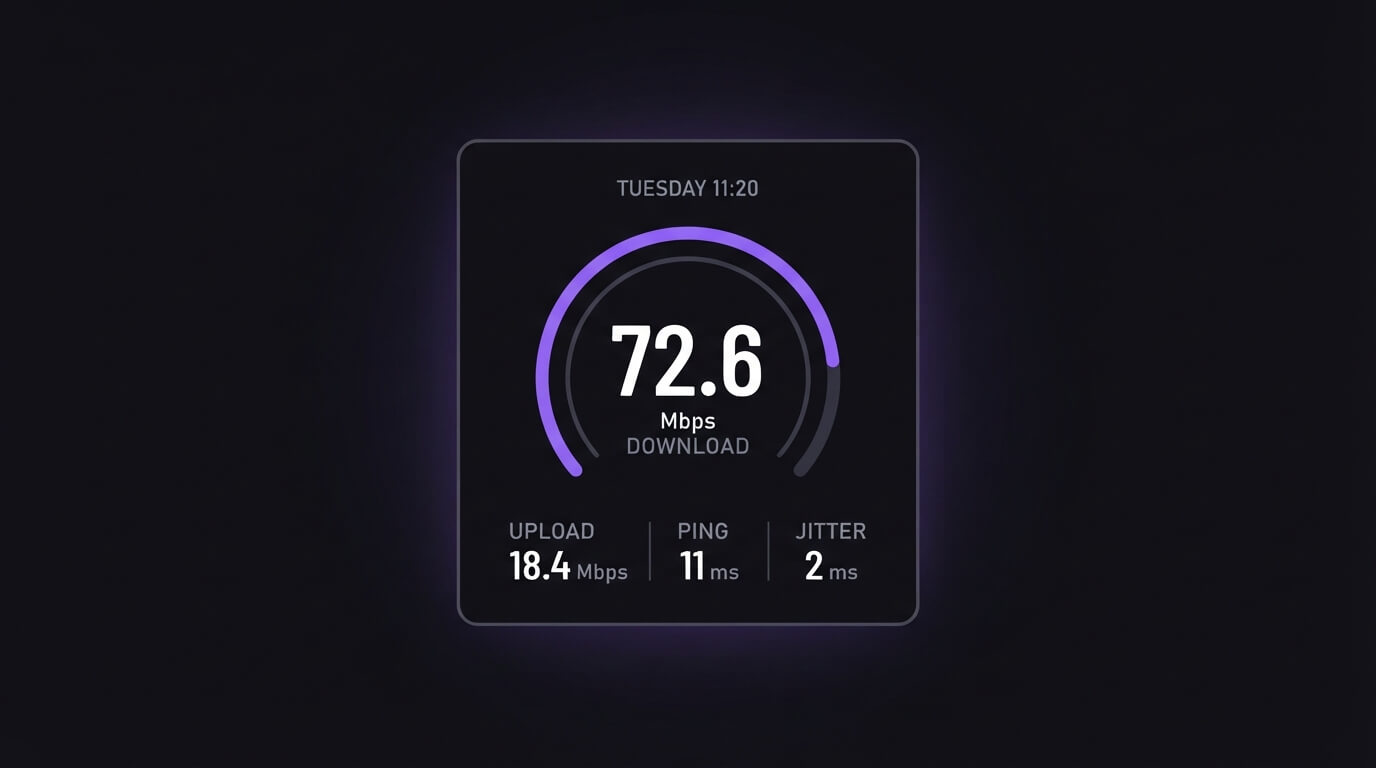
15 Mbps is the floor for one reliable HD stream. Around 25 Mbps for 4K IPTV.
Add more for every extra stream running at the same time. Those are the only numbers in this
section that matter, and nearly every Canadian home plan clears them on paper.
On paper is carrying weight there. Test at 8pm on a Saturday rather than 11am on a Tuesday.
Your neighbourhood shares capacity, and the figure that decides whether your evening works is
the peak-time one, not the one on your bill. The
CRTC's broadband measurement reporting
shows how far actual Canadian speeds drift from advertised ones.
One honest note about 4K live IPTV specifically, because it is the most oversold phrase in
this market. A stream is only 4K if the source feed is 4K. No provider can add detail that
was never broadcast. Live sport in genuine 4K exists but is far rarer than sales pages imply,
while on-demand libraries carry much more of it. When you see "IPTV 4K" advertised, read it as
4K where the source supports it, ours included. Anyone claiming all 50,000 channels are 4K is
describing something that is not physically possible.
A customer messaged at 9pm on a Saturday to say the stream had completely died. The line
tested at 6 Mbps, on the 2.4 GHz band, three rooms from the router. Minimum is 15. Moving the
stick to 5 GHz and restarting the router fixed it in under five minutes. The service had
never dropped. That is stage four from the list above, and it is where this goes wrong far
more often than anywhere else in the chain.
What you watch it on, and the thing quietly ruining it
You do not need a set-top box any more. Smart TVs, streaming sticks, Android boxes, phones,
tablets, laptops, MAG boxes, Apple TV, Nvidia Shield, Enigma2 receivers and Formuler boxes
all decode the same packets. A dedicated box handles channel guides more gracefully; a stick
is cheaper and already in most houses. Either is fine. Our
guide to IPTV boxes covers what is worth buying.
The device is rarely the problem. The router your ISP mailed you is the weak link in
most Canadian homes. It was built down to a price, it is usually sitting in the
hallway behind a mirror, and it has been powered on continuously for about three years. Replacing it
does more for playback than any other single change, and it beats upgrading your package,
because a faster line into a bad router is still a bad router.
After that, in order of how much difference they make: run an ethernet cable, move to the 5
GHz band, restart the router rather than the box, and use the little HDMI extender that came
in the stick's packaging if the TV is wall-mounted. (Everyone throws that extender away.
I have thrown away three.) In a condo tower the 5 GHz move matters more than anywhere else,
because every unit on your floor is crowding the same 2.4 GHz channels at the same hour.
What all this means if you just want the TV on
Every other explainer of this technology is written for a network engineer or a hotel
procurement manager. Here is the version for someone standing in a living room in Canada
holding a remote.
You already use it. Catch-up apps are IPTV. The technology is not exotic and it is not a workaround
The picture quality is decided by your line, not the label. Two services with identical channel lists will look different in your house purely because of stages four and five
Buffering is a bandwidth symptom, not a fault code. Before blaming a provider, check what your connection is doing at the moment it happens
No dish, no aerial, no engineer visit. That is the genuine practical difference, and it is why a service can be switched on the same afternoon you buy it
A plan is restricted to one device. If two people want their own screen, that needs a multi-device plan. We offer one, and any provider pretending it comes free is hoping you do not test it
When Internet Protocol Television is the wrong answer
Nobody writing a glossary entry will tell you this, so here it is.
Your peak-time speed is under 15 Mbps. Fix the line first. No service, box or app compensates for a connection that cannot carry the packets, and we would rather say so on WhatsApp than take the money
You only watch the main Canadian broadcasters. An over-the-air antenna picks those up free in every major market
You want a guarantee at puck drop and have no way to cable the TV. Wi-Fi through two walls at peak time is a gamble, and game night is the worst moment to discover it
You watch one thing a month. The arithmetic does not work. Go to the bar
Straight answers about Internet Protocol Television
What does IPTV stand for?
Internet Protocol Television. Internet Protocol is the addressing system that moves data around any network, and IPTV simply means television delivered using it rather than through an aerial, a satellite dish or a cable.
How does Internet Protocol Television work?
A channel arrives at an operator's central facility, gets compressed and cut into numbered packets, and is stored on servers. When you press a channel, those packets travel across your broadband connection to a player app, which reorders and decodes them into a picture. A few seconds are held in a buffer to absorb late arrivals.
What is the difference between IPTV and streaming?
They use the same underlying technology, so the line is blurrier than most articles admit. The usual distinction is the network: classic IPTV runs over a managed network the operator controls end to end, while over-the-top streaming crosses the public internet like any other traffic. In practice most consumer IPTV in Canada today is delivered over the public internet.
What are the three types of IPTV?
Live IPTV, which is a channel broadcasting in real time. Time-shifted IPTV, which is catch-up: a programme that already aired, held for a few days. And video on demand, which is a library you can start at any point. Most services carry all three at once.
Do I need a set-top box for IPTV?
No, not any more. A dedicated box handles decoding and channel guides well, but a smart TV app, a streaming stick, a phone, a tablet or a laptop all do the same job. What matters is that the device can decode the codec in use and hold a stable network connection.
What internet speed do I need for IPTV?
15 Mbps is the minimum for reliable playback of a single HD stream. Budget around 25 Mbps for 4K, and add more for every extra stream running at the same time. Measure the speed during the evening rather than mid-morning, because your street shares capacity and the evening number is the one that matters.
Is IPTV the same as a smart TV?
No. A smart TV is hardware with apps on it. IPTV is a delivery method. A smart TV is one of many devices that can receive IPTV, in the same way a kettle is not the same thing as electricity.
Is Internet Protocol Television legal?
The technology is legal and in everyday use, including by broadcasters themselves. Legality depends on licensing: a service is legal when the content it carries is licensed from the rights holder, and it is not when that content is redistributed without permission.
The verdict
Internet Protocol Television is a delivery method, not a product. Once you know it is just
addressed packets crossing your broadband and being reassembled at the other end, most of the
marketing around it stops being mysterious and starts being checkable. Ask what the concurrent
connection limit is. Ask what happens at renewal. Test the thing at peak time.
If you want to try ours, it is $19.99 CAD for a month as a one-off payment, with a 7-day
money-back window and no card kept on file.
Message us on WhatsApp
and support runs 24/7, which across six Canadian time zones is the only arrangement that works.
And if the picture still stalls after all that, it is not the protocol. Internet Protocol has
been quietly working since 1974. It is the router in your hallway, behind the mirror, that
nobody has turned off since the last general election.
🇨🇦 $19.99 CAD · paid once
Get the Best IPTV Box in Canada Today
The best IPTV Canada plan we can build: 50,000+ channels, real 4K, top-flight sport and the full French-language lineup, live on your device in minutes. One payment, no contract, no auto-renewal, no hidden fees.